How to Keep a Character Consistent in AI (2026 Free Method)
AI image generation is becoming essential for creators, but one major problem continues to frustrate everyone. The character you design often looks different in every single image. One moment the hair is long, next it becomes short. The face shape changes. The outfit varies. Even the skin tone can shift if your lighting changes.
This happens because AI does not remember your character from prompt to prompt. It generates every image from scratch. To fix this issue, you need a professional method that explains your character so clearly that the AI has no room to change anything.
This guide by Pioneer Strikes teaches you exactly how to achieve perfect character consistency by creating a detailed character sheet, writing a master prompt, repeating visuals, maintaining style rules, and structuring your prompts correctly.
This is the same approach used by comic creators, animation designers, story artists, and branding teams.
- Step 1: Create a Complete Character Sheet With Extreme Detail
- Step 2: Write One Master Character Prompt That You Will Use Every Time
- Step 3: Structure Every Prompt Properly by Putting the Character First
- Step 4: Keep the Art Style Consistent for Even Better Results
- Step 5: Repeat Key Phrases That Force Consistency
- Step 6: Use Reference Images If Your AI Tool Supports It
- Step 7: Save Your Character Sheet in a Permanent Document
- Step 8: Improve Your Character Sheet Over Time
Step 1: Create a Complete Character Sheet With Extreme Detail
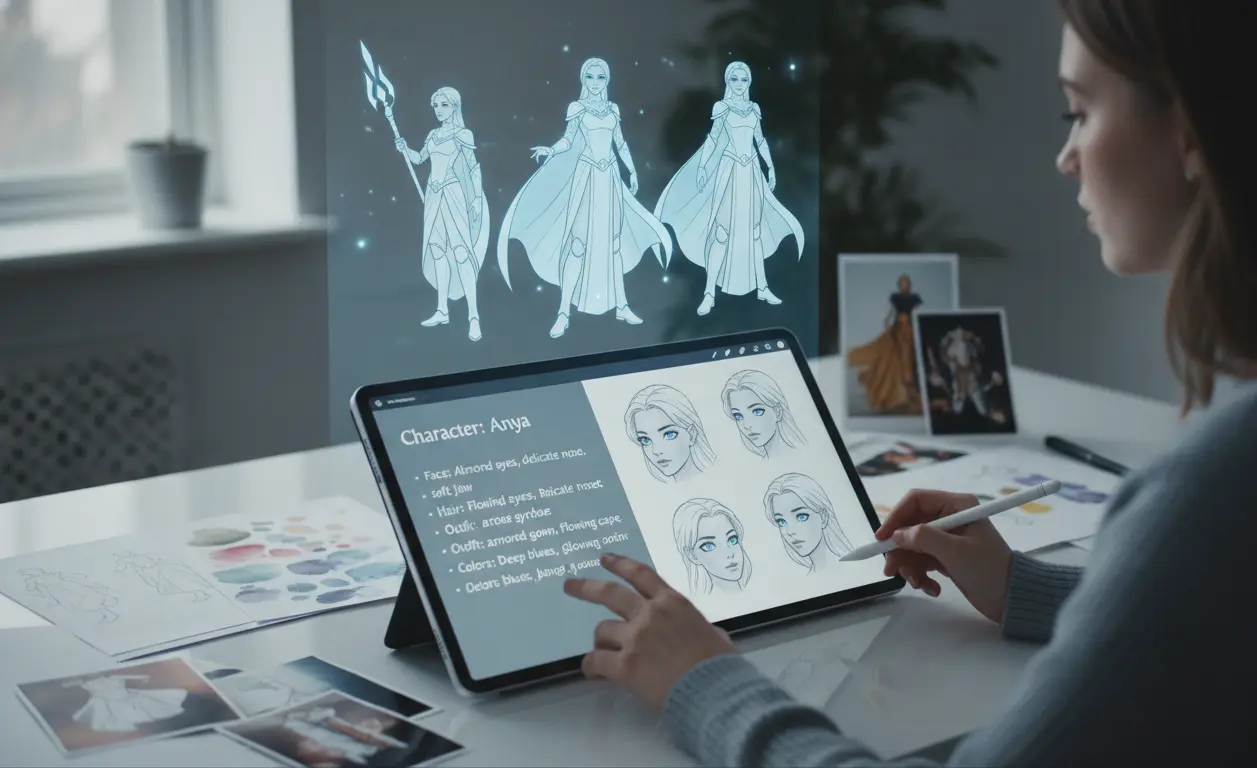
The most important step is building a character sheet. Think of it as the AI version of a professional model sheet used in animation studios. It tells the AI exactly what your character looks like, from head to toe, leaving no ambiguity.
You must include every tiny visual detail. The more detail you add, the better the consistency will be.
Below are categories you must fill with maximum detail.
Face Details
Describe everything that defines the face.
- Face shape such as oval, round, heart-shaped, diamond-shaped, sharp jawline or soft jawline
- Skin tone with precise language such as warm honey brown, pale ivory with pink undertones, deep rich ebony, warm golden tan
- Eye shape like almond shaped, wide-set, hooded eyelids, monolid, round eyes
- Eye size such as large expressive eyes, narrow deep-set eyes, medium sized relaxed eyes
- Eye color described naturally, for example ocean blue, emerald green with gold flecks, dark chocolate brown
- Eyebrows such as thick angled brows, soft arched brows, straight minimal brows, defined bold brows
- Nose details like straight nose bridge, small button nose, pointed nose, wide rounded nose
- Lips such as full rounded lips, soft cupid’s bow, thin symmetrical lips
- Distinguishing features such as freckles across the cheeks, a mole under the left eye, a light scar on the chin, soft blush tone on cheeks, slight dimples when smiling
The goal here is to paint a full mental picture so the AI cannot change your character’s identity.
Hair Details
Hair is one of the most commonly inconsistent features in AI, so describe it thoroughly.
- Hair length like waist long, shoulder length, mid back, short fade
- Hair texture such as silky straight, loose waves, thick curls, tight coils
- Hair density such as very thick and voluminous, soft and medium thickness, light and silky
- Hair color described in detail like jet black with cool undertone, warm chestnut brown, honey blonde with caramel highlights, silver white
- Hairstyle such as side parted waves, braided ponytail, messy bun, twin braids, undercut with top-long waves
- Additional details like bangs, fringe, shaved sides, colored streaks, metallic tint
Body Build
Describe the character’s physical proportions and posture.
- Height such as short, average height, very tall
- Body type like slim athletic build, muscular and broad, soft curvy figure, lean and toned
- Posture like confident upright posture, relaxed shoulders, elegant stance, energetic stance
- Body marks such as tattoos on the arms, faint scar on forearm, beauty mark on collarbone
Clothing Style
Describe the default outfit so AI does not randomly change it.
- Clothing type like streetwear, fantasy warrior armor, modern casual hoodie, cyberpunk jacket, medieval gown
- Color palette such as dark monochrome black and gray, warm earth tones, neon colors, soft pastel palette
- Materials such as leather jacket, silk flowing dress, cotton shirt, metallic chest armor
- Patterns like floral prints, gold embroidery, geometric patterns, stripes or gradients
- Accessories such as rings, bracelets, necklace, earrings, gloves, belts, arm bands
- Shoes like leather boots, sneakers, combat shoes, heels
- Headwear like helmet, beret, hood, cap, circlet
Personality and Mood
AI reacts strongly to emotional descriptions. If your character is calm or fierce, that will influence final images.
- Personality such as confident and bold, gentle and warm, mysterious and silent, playful and expressive
- Expression style such as soft smile, intense gaze, relaxed eyes, curious expression
- Presence such as heroic, elegant, energetic, intimidating, cute
Environment Preferences
If your character appears in a specific world or setting, describe it.
- Locations such as futuristic neon city, forest village, ancient temple ruins, cozy indoor café, snowy mountains
- Atmosphere like cinematic, dreamy, realistic, magical, dark and moody, warm and glowing.
Step 2: Write One Master Character Prompt That You Will Use Every Time
A master character prompt is a block of text that describes your character exactly. You will paste this in every prompt, no matter what tool you use whether it is NNAO BNANA, Midjourney, DALL E, Stable Diffusion, Leonardo or anything else.
The master prompt acts like a memory for the AI.
Below is a detailed structure you should always use.
Example Master Character Prompt Template:
[Character Name] is a [age] [gender] with [face description in full detail]. Their skin tone is [exact shade], and they have [eye shape, eye size, eye color] with [eyebrow style]. Their lips are [description], and they have distinguishing features such as [moles, freckles, scars]. Their hair is [length, texture, color, style] and always appears exactly like this.
Their body build is [height, body type, posture]. Their clothing style consists of [specific outfit pieces including colors, patterns, materials, accessories and footwear]. Their overall vibe is [mood and personality traits].
The character must remain identical in every image. Do not change the hairstyle, face structure, eye shape, skin tone, outfit or body proportions.
This master prompt becomes the foundation of all future prompts.
Step 3: Structure Every Prompt Properly by Putting the Character First
The order of information matters. Always start with the character description, because AI prioritizes the first part of the prompt.
Correct structure:
- Paste the complete master character prompt
- Then describe the scene
- Then describe the pose
- Then describe the style
- Then describe lighting and camera angle
Example:
Use the exact character described below and do not change any features.
[Pasting full master character sheet]
Now place the character inside a forest setting during golden hour sunlight. The character is sitting on a rock, looking to the side with a calm expression. Render in realistic style with soft cinematic lighting and slight depth of field.
This ensures the character remains fixed while only the scene changes.
Step 4: Keep the Art Style Consistent for Even Better Results
Even if the character remains the same, changing the art style too frequently can confuse the AI and indirectly change details. To avoid this, choose one consistent style.
Examples of consistent style choices:
- Realistic
- Anime
- Semi realistic
- 3D Pixar style
- Comic book style
- Line art
- Watercolor illustration
Pick one and stick to it for the entire series of images. You can create a second character sheet later if you need another art style version.
You can also choose a consistent camera angle or lens type such as 50mm portrait lens for a more unified look.
Step 5: Repeat Key Phrases That Force Consistency
AI responds well to repeated reinforcement. Include lines like these in every prompt:
- Keep character identical in all aspects
- Do not alter facial features
- Maintain the same hairstyle and hair color
- Keep clothing exactly the same
- Consistent design across every image
- Same body type and posture style
- Same eye shape and color
These act as “locks” that prevent unwanted changes.
Step 6: Use Reference Images If Your AI Tool Supports It
Some AI platforms allow you to upload reference images to lock down character appearance. For best results, prepare three to five high quality reference images of your character from different angles.
Recommended angles:
- Front view
- Side view
- Three quarter view
- Full body
- Close up face
Using reference images alongside your character sheet increases accuracy significantly.
Step 7: Save Your Character Sheet in a Permanent Document
Keep one file that contains:
- Character sheet
- Master prompt
- Reference images
- Style notes
You can save it in Google Docs, Notion, Word, or even in your notes app. This makes it easy to copy and paste details into every AI prompt.
Step 8: Improve Your Character Sheet Over Time
As you generate more images, you will learn small details that need adjustment. For example:
- The jawline may appear too sharp
- The eyebrows may need a clearer description
- The hairstyle may require more precise phrasing
- The outfit may need exact color names to avoid shifts
Edit your character sheet whenever you find inconsistencies. Over time, the character becomes more stable and accurate.
Maintaining character consistency in AI is not luck. It is a technical method that requires structure, detail, and repetition. When you build a detailed character sheet and use the same character description in every prompt, AI models will stop changing your character and instead follow your design exactly.
This approach transforms your AI results from random to professional.